 VideoBuffet
The grid ladder
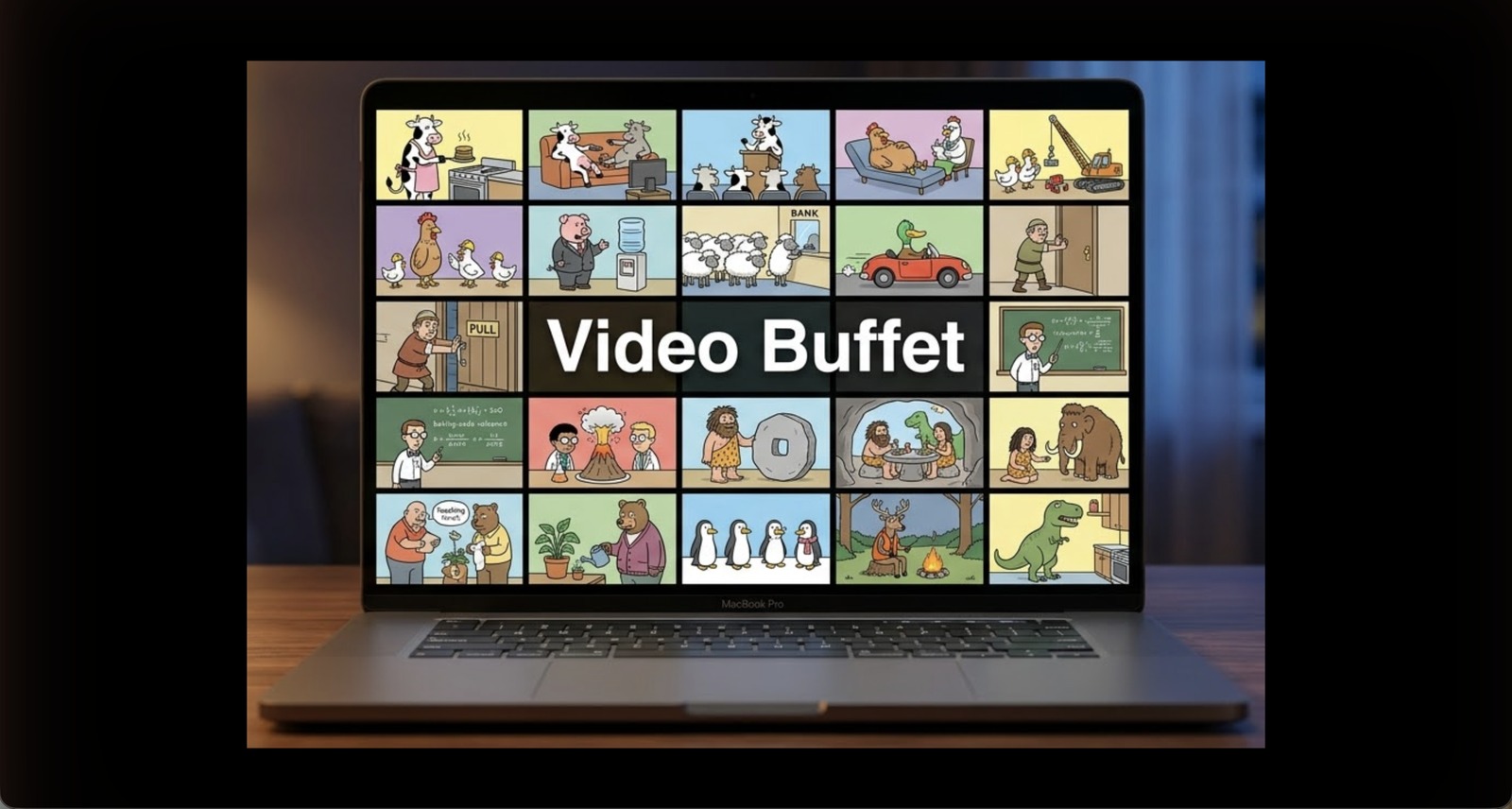
One clip to 144 — pick your density.
Fourteen presets climb from a single spotlight, through the perfect squares, to a 12 × 12 mosaic — one click on the control bar, or ⌘1–⌘9 for the first nine. We went looking for another Mac app that plays anywhere near this many videos at once — and couldn't find one.
Click through the real preset ladder:
An illustration — in the app, every cell is a playing video. Every size above is a real preset, and you can open up to four walls at once.
Profile View, packed tight
Vertical video, edge to edge.
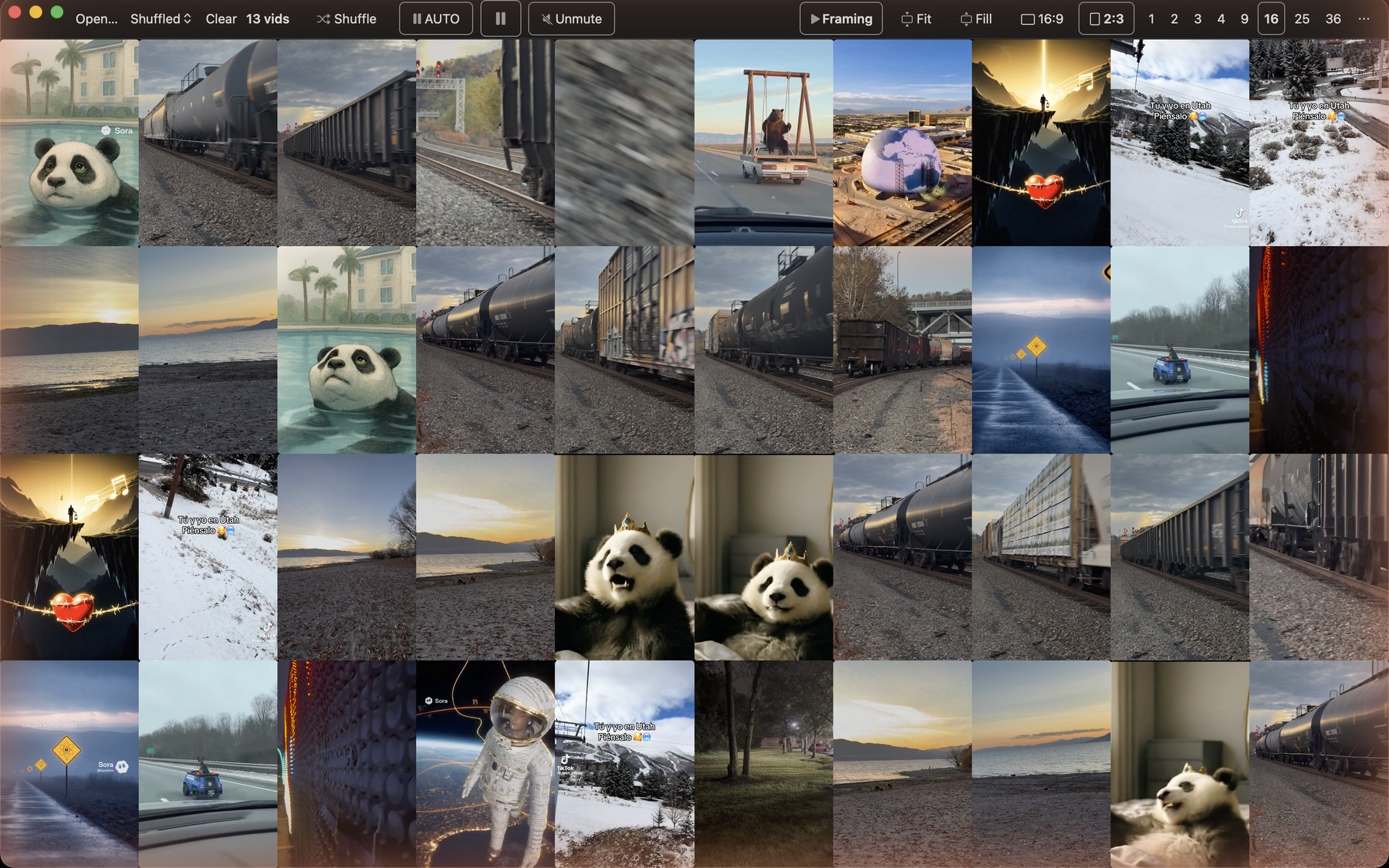
One click stands the whole wall up in 2:3 Profile cells shaped for phone-shot video — packed flush, no gutters between clips. Then Fill finishes the job: it zooms each clip to cover its entire cell, the letterbox bars vanish, and the wall reads as one unbroken sheet of motion. Prefer the whole frame? Fit keeps every pixel — your call, wall-wide, anytime.
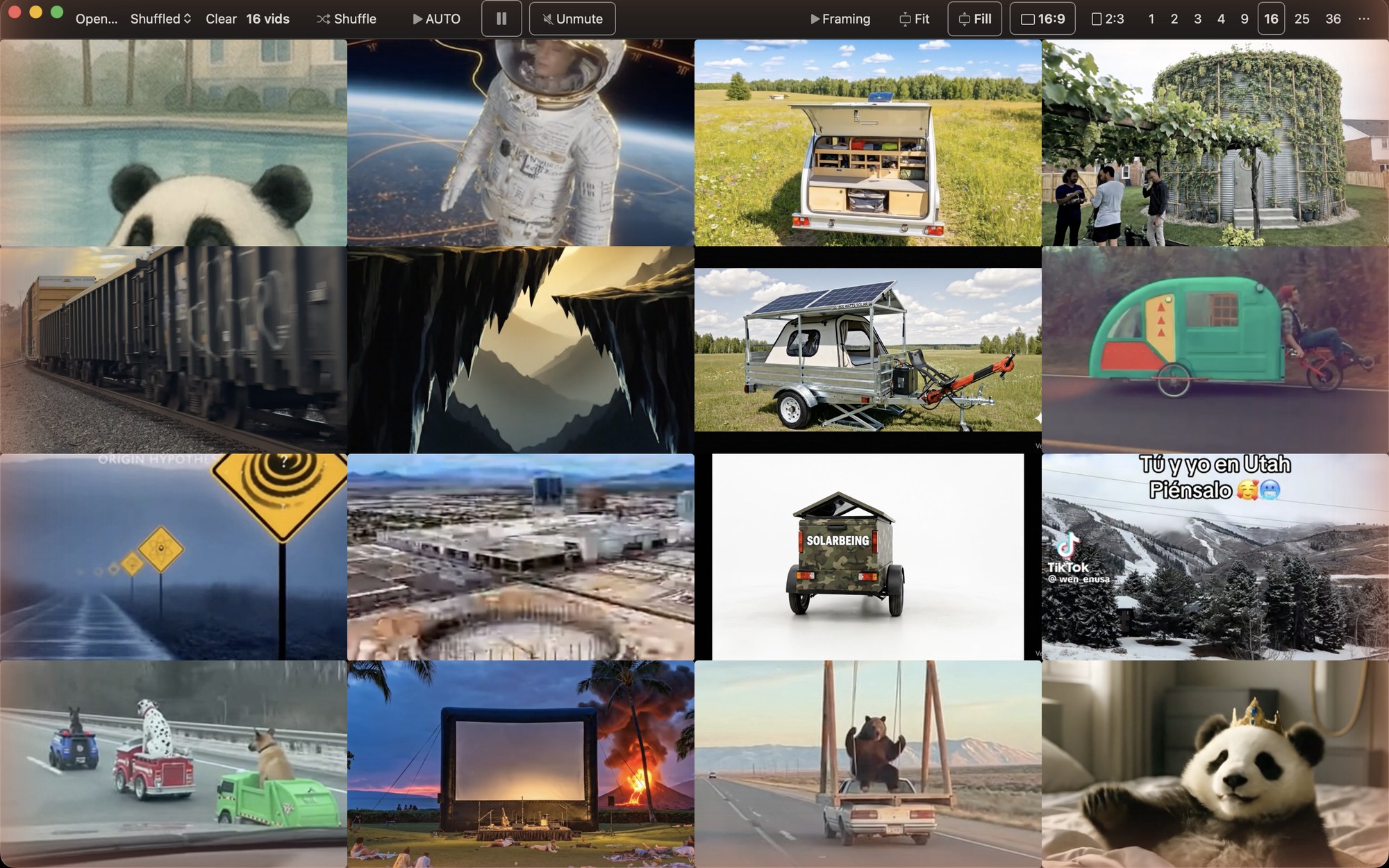
Two of the wall's display modes — click:
An illustration — the dark stripes under Fit are exactly the bars Fill erases. In the app, every cell is one of your clips, playing.
VideoBuffet for macOS
A wall of video for your Mac.
VideoBuffet plays large local video collections as a live multi-preview wall — from a single clip to a 144-tile grid — with a native vertical Profile View, scene-by-scene framing you control, and a memory for every clip. Everything runs on your Mac. Nothing is uploaded.
- 144clips on one wall
- 4independent windows
- 2:3native vertical cells
- 0accounts, uploads, trackers
Why a wall
You have a library. You've been reading it like a filing cabinet.
Years of video, browsed one filename at a time — a column of dead thumbnails, one clip playing while the rest sit still. You scroll, you guess, you open, you go back. And next time, you do it all again.
Pour the whole folder in instead. VideoBuffet lays your collection out as a wall of motion — up to 144 clips playing at once, looping and silent, edge to edge. You don't search; you graze. When one catches your eye, lock it — it holds its place while you shuffle the rest into a fresh arrangement around it. No importing, no catalog, nothing uploaded.
The signature feature
A native Profile View for vertical video.
Phone-shot video is vertical — and most players squeeze it between black bars. VideoBuffet's wall switches to vertical 2:3 cells with one click, so portrait clips fill the frame natively, then toggles straight back to classic 16:9 widescreen cells for landscape footage.
Three wall-wide display modes make every pixel count:
Framing — scene by scene
Every pixel, spent on the part that matters.
Real libraries are messy: screen recordings wrapped in chrome, sideways clips, one great moment buried in a long file. VideoBuffet's answer is the Frame window: it finds each video's scene changes, you choose what every scene shows, and it remembers forever.
Frame every scene once. VideoBuffet remembers.
Open Frame… on any clip. VideoBuffet finds the scene changes — hard cuts and abrupt shifts — with plain frame arithmetic, in seconds, entirely on your Mac. Then you step through: Next, drag the rectangle, Next. Each scene keeps its own crop and the wall switches exactly at the cut — so a screen recording finally shows just the video it contains, framed the way you chose.
- 100% on-device, no AI. A deterministic scan — same file in, same scene changes out; nothing leaves your Mac.
- Scan once, instant after. A few seconds per video, cached — every later open is instant.
- You have the last word. Missed a change? Add a scene break (B). One too many? Delete it. ⌘Z undoes.
- Geometry only. Scene changes are cached by a one-way hash — never filenames.
The Frame window — your edit, remembered forever.
Draw a crop box around the part you care about — isolate just the playing video inside a screen recording, or the one corner of the frame worth watching. Then go further:
- Scene by scene. One crop per scene, switching exactly at the cut — machine-found breaks, your boxes.
- Rotate. Stand a sideways clip upright for good.
- Trim. Play only the good slice, everywhere that clip appears.
- Permanent speed. Set a per-clip speed that re-applies every time.
Your saved framing outranks every wall mode — your call always wins.
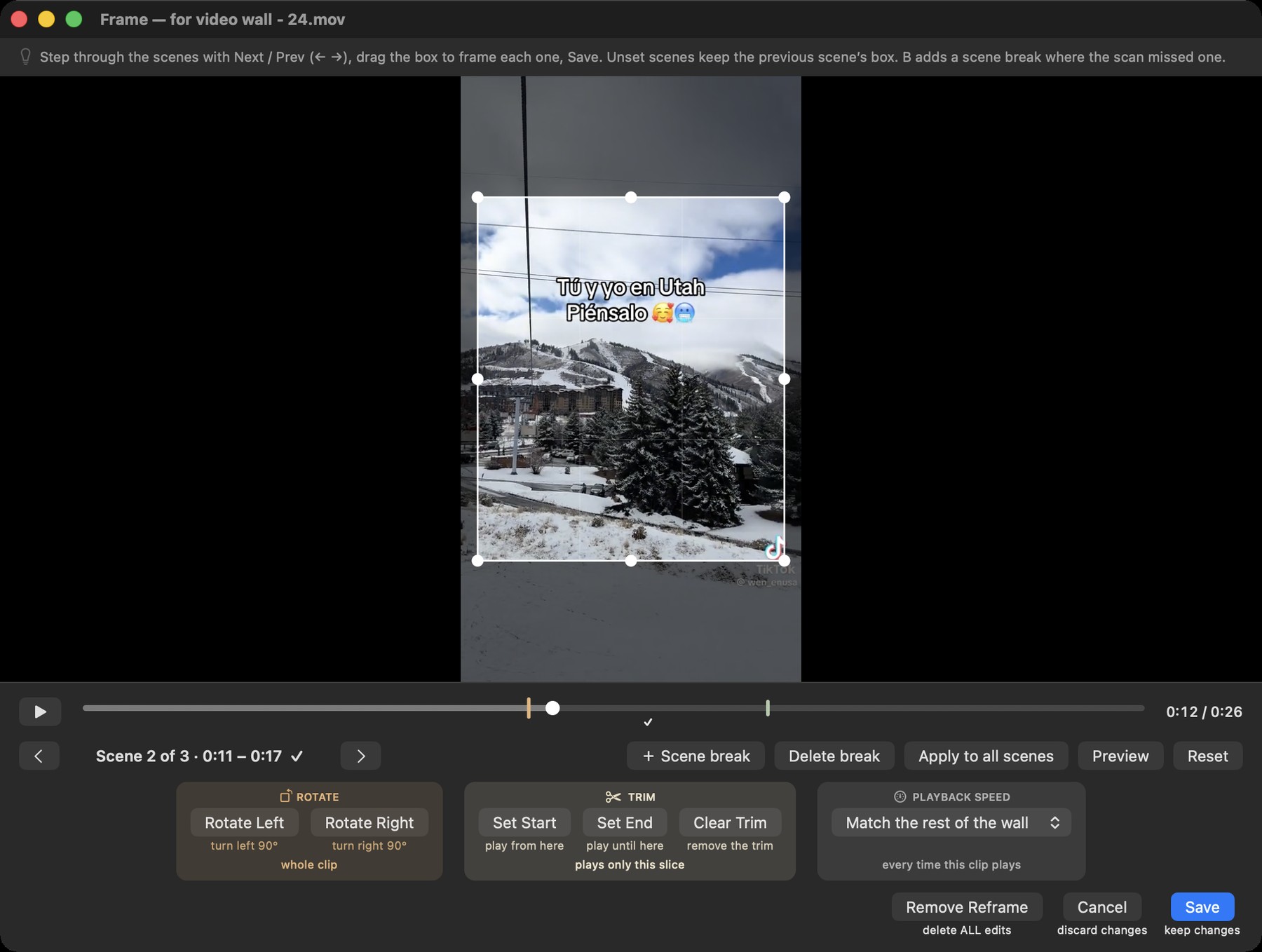
Inside the Frame window.
The window in the screenshot is the whole editor — a scene stepper and a handful of controls, no timeline to learn. What each one does:
- The crop box
- Drag the handles around the region you actually want to watch — the game inside a streamer's layout, the slides inside a lecture capture, the one window that matters in a screen recording. Everything outside the box disappears from the wall; your crop becomes the clip's whole frame.
- Scenes and scene breaks
- When you first open a video, VideoBuffet finds its scene changes — hard cuts and abrupt shifts — in seconds, with plain frame arithmetic. Step through them with Next and Prev; each scene keeps its own crop, constant within the scene and switching exactly at the cut. Missed one? Add a break at the playhead (B). One too many? Delete it — the earlier crop wins. ⌘Z undoes.
- Rotate left / right
- A sideways phone clip stands upright for good. And because rotation lives in the same window, you can rotate and crop in a single pass instead of juggling tools.
- Trim — set start, set end
- Skip the fumbling first seconds and the dead tail: mark an in-point and an out-point, and the clip plays only that slice — everywhere it appears, every time. The file keeps every frame; you just never sit through them again.
- This clip's speed
- Some clips were simply shot at the wrong speed. Give one a permanent speed of its own — slow a whip-pan, hurry a sleepy demo — and it re-applies every time that file lands on a wall. (Need it only for a moment? The tile's right-click speed works live.)
- Save · cancel · remove
- Save writes the whole set — the crop for every scene, rotation, trim, speed — into VideoBuffet's memory in one go. Cancel walks away clean. Remove Reframe returns the clip to exactly-as-shot, and right-click ▸ Show Original peeks at the untouched video without deleting your work.
The pecking order runs in your favor: your saved framing outranks Fit and Fill. And every edit is applied at playback, so your original files are never modified.
Every entry matches a one-way fingerprint of the file's content — not its name. Rename it, move it, reorganize everything: your work follows.
Export every reframe as a single small file; import it on a new Mac and everything comes back.
Crops, rotations, trims, and speeds are applied at playback. Your files stay byte-for-byte yours.
Quick edits
Sixty-second fixes that stick.
Real libraries are never uniform — a sideways clip here, a too-fast pan there, black bars baked into an old export. The fastest fixes live right on the tile, one hover or right-click away, and anything worth keeping — a rotation, a crop, a trim, a speed — is remembered per clip, forever.
Hover a tile, tap rotate — tap again to keep turning. Remembered for that clip across sessions: sideways once, never again.
Right-click ▸ This Video's Speed — the wall happily mixes speeds, and a corner tag marks the off-speed tiles. Lock a tile to shield it from wall-wide changes.
Every tile has its own mute button, so a single soundtrack can play while the rest of the wall stays silent.
The tile's loop button flips loop-vs-advance for that cell alone — keep the perfect clip repeating while its neighbors move on.
One setting detects letterbox and pillarbox bars recorded inside a clip's frames and crops away only that black — never real picture.
Right-click a reframed tile ▸ Show Original to see the untouched video anytime — your saved edit stays put.
Add New Movies to the End queues fresh imports behind what you're already watching, instead of reshuffling the wall under you.
When a quick fix isn't enough, ⌘R opens the Frame window — crop, points, rotate, trim, speed, saved forever.
Playback power
A full-size player with VLC-class control.
Click any tile and it opens full-size — with the whole command set on single keys, and a speed ladder for the entire wall.
0.25×–2× for the whole wall, up to 4× full-size — voices stay natural at any speed.
Press L at the start, L at the end: that slice loops seamlessly. A third press clears it.
Step exactly one frame forward or back — playback pauses for you.
Full-resolution, rotation-corrected PNGs of the exact frame, straight into Pictures.
Cycle embedded audio and subtitle tracks — with an Off stop — for files that carry them.
Live brightness, contrast, saturation, and hue sliders on the full-size player.
Codec, resolution, frame rate, data rate, audio format, size — selectable for copying.
Keep the wall above every other window — a picture-in-picture wall while you work.
One key cycles Fit, Fill, and Stretch for the open clip alone — without touching the wall's display mode.
Wall control
A wall that runs itself — your way.
AUTO — the living wall
On a timer, a batch of tiles fades to fresh clips — dealing through your entire collection before anything repeats. Arrow keys step back through the walls you just saw, and a full-screen slideshow is one menu away.
Lock the keepers
A locked tile ignores AUTO, shuffle, page turns, and wall-wide speed changes. Everything else keeps moving around it.
Sort by what matters
Name, date, and size — plus type, length, width, and height, read from each clip's actual video track.
Show only what fits
Filter the wall to Portrait Only, Landscape Only, or Long Only (5 minutes and up) — the window title counts what matched.
Playlists
Save any wall as a small .vbplaylist file and reopen it later — it stores the list, not copies of your videos.
Four walls at once
Up to four independent windows, each with its own grid, sort, and speed — one per monitor if you like.
Private by design
Yours. Offline. Silent until you say so.
- Fully offline. No account, no cloud, no telemetry — nothing is ever uploaded.
- Every launch starts muted, and dense walls stay muted until you say otherwise.
- No recent-files history by default, and the scene-change cache stores timestamps keyed by a one-way hash — never filenames.
- Even the built-in help chat answers locally. Your questions never leave the Mac.
The boss key. Press ~ once — mute, pause, and hide, instantly.
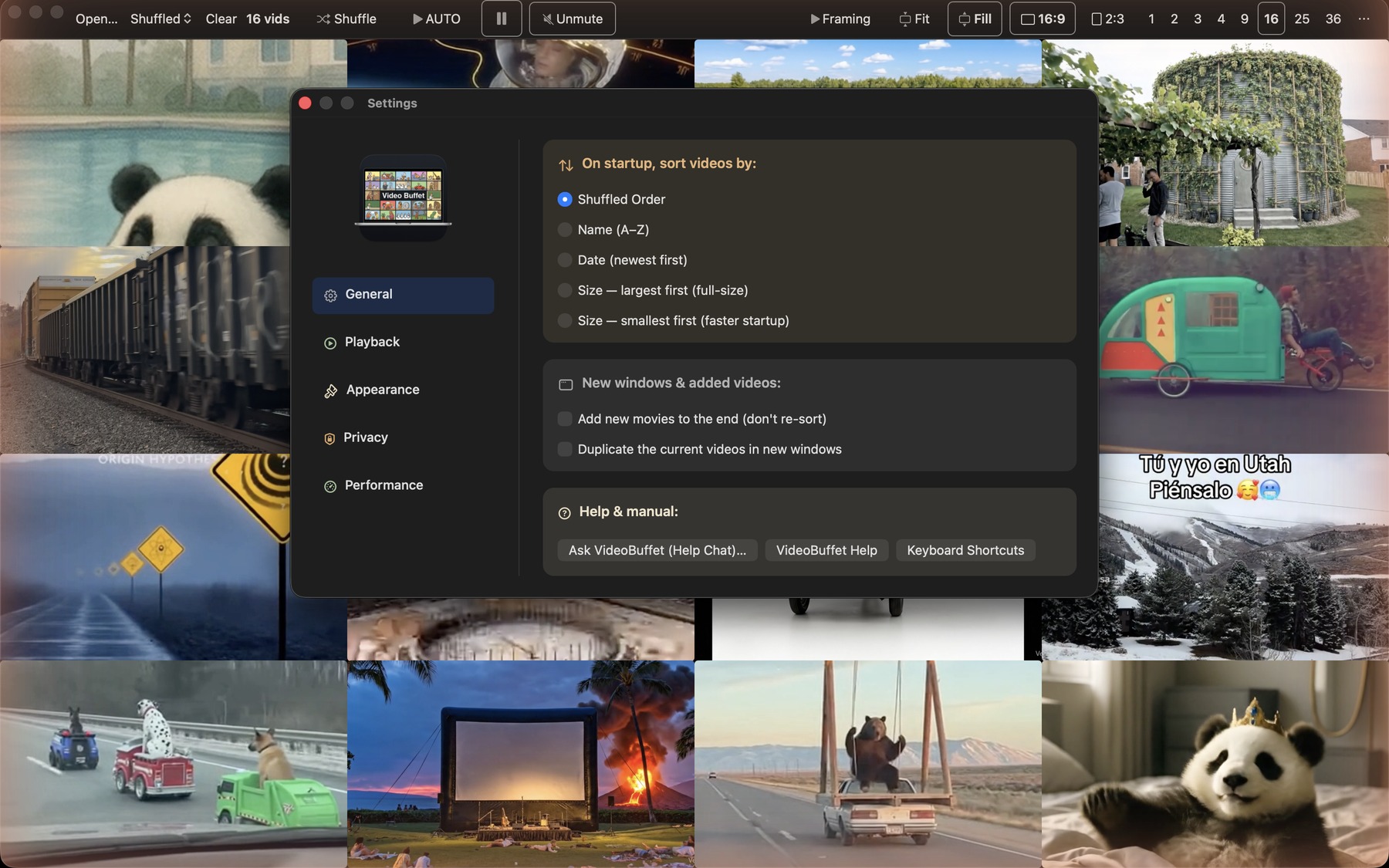
Built-in help & polish
Answers without leaving the app.
Ask VideoBuffet
Type a plain-language question — “how do I loop part of a clip?” — and get the answer instantly from the bundled manual. Entirely local.
A shortcut for nearly everything
⌘⇧K opens the full keyboard map — wall, player, and app commands on single keys.
A manual you can keep
Export the entire user manual as Markdown for reading — or JSON for your own tools.
Low Eye-Strain Mode
Warm-tinted text and a true-multiply blue-light filter for late-night walls — blacks stay black.
Side by side
Where the usual video app stops.
VideoBuffet is specialized. Here's the shape of that in general terms — this compares the category, not any particular product.
| You want to… | VideoBuffet | The usual video app |
|---|---|---|
| Play a whole folder at once | Up to 144 live tiles per window | One video — or a handful of panes |
| Work through the entire collection | AUTO rotation — full coverage before any repeat | You pick each next video yourself |
| Keep a favorite while everything else changes | Locked tiles hold through rotation and shuffle | Not typically |
| Change speed without chipmunk voices | 0.25×–2× wall-wide, pitch-preserved · 4× full-size | One video at a time, when at all |
| Fill several monitors | Up to 4 independent windows | Not typically |
| Your library has… | VideoBuffet | The usual video app |
|---|---|---|
| Phone-shot vertical video | Native 2:3 Profile View, one click | Letterboxed between black bars |
| Screen recordings full of chrome | Frame each scene yourself — set once, remembered everywhere | Played as-is |
| Clips that need a crop, rotation, trim, or speed | Remembered per clip, keyed to content — survives renames, exports as one file | Not offered |
| Original files you care about | Never modified | Varies |
| A preference for staying offline | No account, no cloud, no telemetry | Often some of each |
General category comparison from our 2026 survey of Mac video apps. “The usual video app” describes typical behavior across the category, not any specific product.
Specs at a glance
The whole app on one card.
- The wall
- 1–144 tiles per window — presets from a single clip to a 12×12 grid, plus ⌘1–⌘9
- Windows
- Up to 4, each independent — its own grid, sort, and speed
- Cell shapes
- 2:3 Profile View · 16:9 widescreen — one click, wall-wide
- Display modes
- Fit · Fill — and per-scene saved framing that outranks them both
- Speed
- 0.25×–2× wall-wide with pitch preservation · up to 4× in the full-size player
- Sort & filter
- Name, date, size, type, length, width, height · Portrait / Landscape / Long-only views
- Formats
- Plays what macOS plays — most .mp4, .mov, .m4v (H.264/HEVC). Details in the support FAQ
- Privacy
- Fully offline · no account · no telemetry · starts muted · ~ boss key
- Requires
- macOS 14 or later · built native for Apple silicon, hardware-decoded playback per tile — light enough for battery
Coming soon to the Mac App Store
In final preparation — no download available yetThere's nothing to download or sign up for today. If you'd like a note when VideoBuffet ships, say hello at feedback@videobuffet.app.